• Home
  • About Us
  • Register
  • Contact Us
  • Home
  • About Us
  • Register
  • Contact Us

ABOUT US - Phone +61 3 97663644 to enquire further

What is @Map?
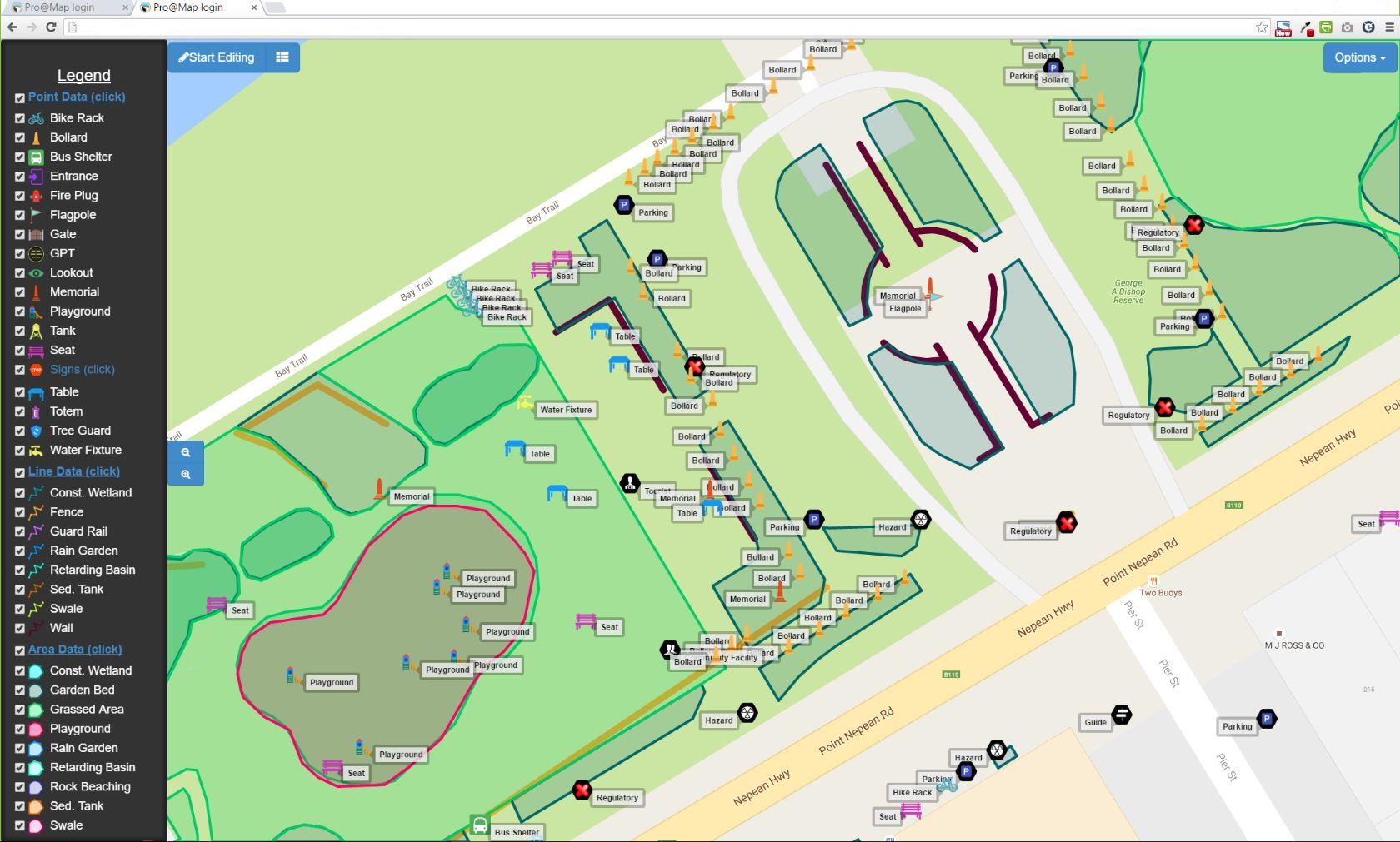
Is a cloud-based application designed to collect geospatial data (attribute data + spatial data) and/or audit that same data. It uses the Google Maps(R) interface as a base map, which allows collection using satellite, road or mixed map display.

The app is presently web-based and therefore able to collect data on any web-enabled device. This means that any device can collect and any device can view, current data. In fact the office computer can display the current data collection in real-time, while field collection is occurring.

@Map is subscription based (SAAS)* where cost is based on amount of data accessed and functionality (e.g. Whether you require to collect points, lines and polygons or just points?)

We intend to deploy the application, as an IOS(R) and Android(R) app, when greater demand is present.
Picture

Checkout Envirogain weed mapping techniques using 'Enviromap', powered by @Map


What device can I use to collect data?

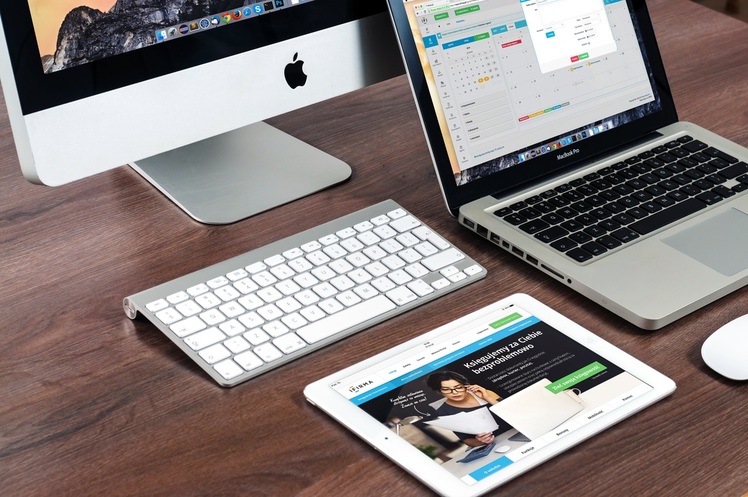
The present web version can be deployed on any device that has a browser, GPS capable and an internet connection. A forward facing built in camera would also be useful.

A touch screen is best for field data collection (rather than a mouse) as it makes collection simpler. The software is based on HTML and Bootstrap API, which adjusts automatically to the screen size whatever the size of the device.

For office viewing a normal PC or Mac with mouse and browser interface can be used. A large screen also allows the user to edit the data spatially by zooming in and editing the point, line or polygon on the map to reflect its real position.
Picture

Benefits of being Web-Based

Picture
1. It's extremely fast.
​

2. Has the application code on a separate web server to the MySQL data, thus minimizing the possibility of data loss.

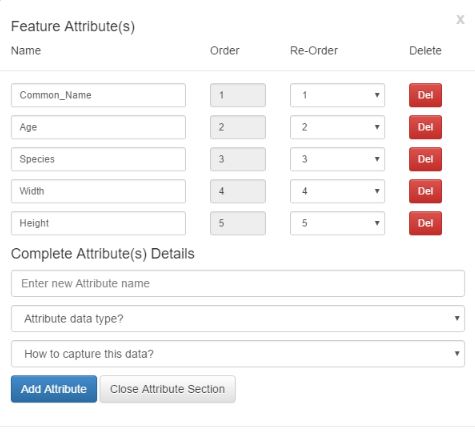
3. Easy to set up. No form design or programming skills needed. If you know what you want to collect then decide what attributes you would like to collect and build a table online. That table automatically deploys the form and you then select where you want to go and then begin collecting.

4. Data can be exported in both CSV and KML format for viewing in Google Earth(R) or on your own system.

5. Has a free version that allows a certain number of records to be collected/audited and viewed for a limited time (see detailed pricing list).
6. Is easy for contractors to use for ad hoc data collection. The setup time is less than half an hour from choice of which item to collect, through setup of table to deployment. Once the email has been received (usually within 5 minutes), collection can begin.

7. Is economical compared with a more costly individual, server based software or other cloud based systems. Why? Because there is no purchase price and the subscription is much less than the total cost of software and the very expensive training or retained IT employees needed to design data collection forms, database tables, deployment methods and maintenance of each specific collection device and the operating system requirements for that device-based software. 

8. Software as a Service (SAAS*) means the software is not bound to one device. Any device you own subject usually to the limits of the data upload-download of that particular licence. This results in no costly multi-user licence and no keeping track of software licences, these are built into the subscription.

9. Our own unique recordset design makes the data update, even to the remote server, ultrafast and allows all viewers of data to see the current data set almost immediately. An example of that was where one of our clients who had two contractors moving toward each other on a single road. They were able to view how far the other one was progressing as they collected their own data.
Edit, Add, Re-Order and Delete your data fields
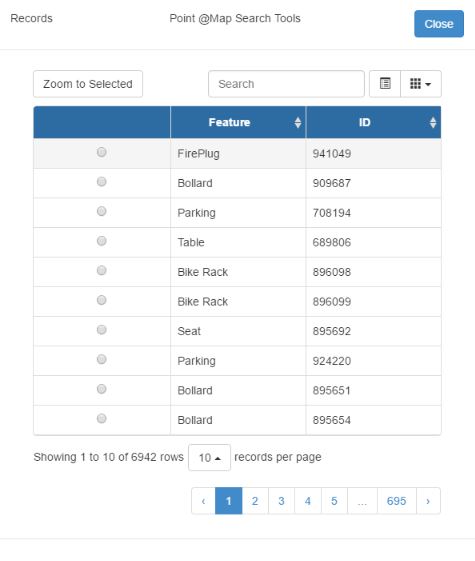
Search, Locate and Zoom to features

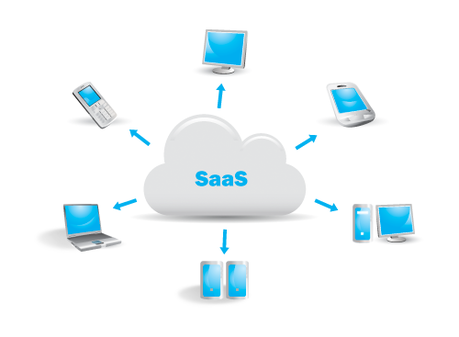
What is SAAS?

SaaS (Software-as-a-Service) is a software model that delivers a software application to a remote client via the Internet. Software-as-a-Service, also known as on-demand software, provides many advantages over the traditional software model. It can be adjusted to requirements, at will, without buying a different licence. For example the software subscription cost can be adjusted if , for example, more capacity is required for data.

ADVANTAGES OVER THE USUAL SOFTWARE MODEL

Software-as-a-Service increases IT efficiency and reduces software costs for an
organisation. How?

Traditional software is costly for several reasons.
  1. Multi-user software license costs can be high and software licenses typically cannot be shared by users.
  2. Upgrades to a user’s computer and/or hard drive mean re-installing the software. This means downtime and costs productive time. SAAS can be used on any other computer with an internet connection while the upgrade occurs.
  3. Organisations are often fined for having insufficient licences. SAAS frees up IT resources which would have to be used to track licence requirements.  The Software-as-a-Service model significantly reduces the expenses compared to locally hosted software applications.

SAAS COSTS AND IMPLEMENTATION

In the Software-as-a-Service model, the enterprise
  1. Is shielded from an upfront investment in software and hardware, as well as eradicates ongoing maintenance and support costs of hosting and maintaining software applications locally.
  2. Gains a cost savings to an enterprise because software applications are delivered on a subscription basis. Therefore:
  • ​​​Capital investment is reduced as the cost for software is now an expense.
  • Depreciation for Assets is reduced and full tax benefits gained immediately.
Picture

Privacy Statement
Terms of Use
Trade Marks
Contact
Copyright © 2016